Time to read: 1 min
How to use Atlas Bridge
Tip
You need enough balance to cover transfer amount and fees. Check Minimum Transaction Amounts before starting.
Getting Started
- Open Atlas Bridge App
- Go to https://atlas.rootstock.io (or testnet if applicable).
- You do not need to connect a wallet to start.
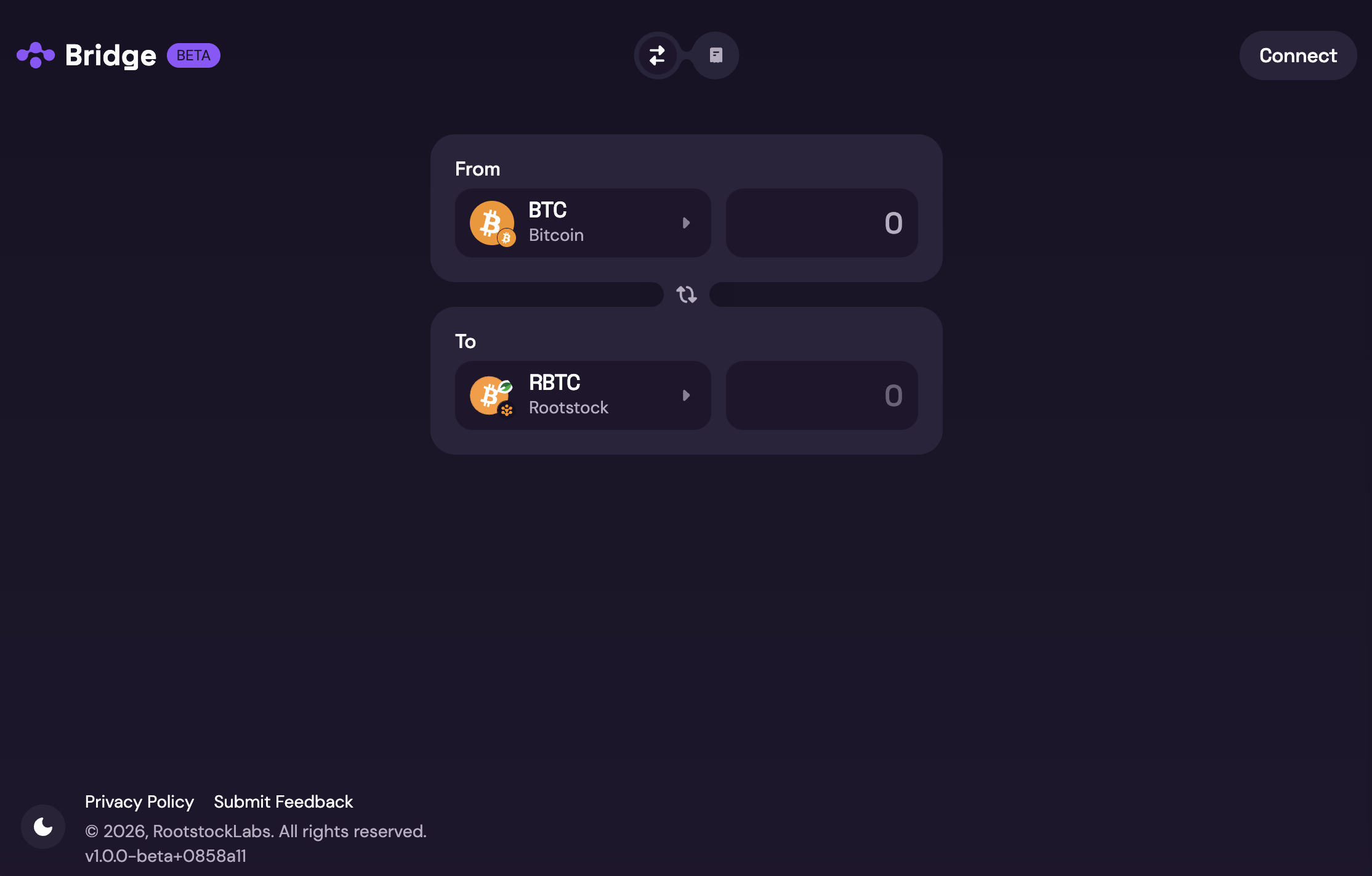
- Select the desired pair
- Choose source and destination assets. One side must always be a Rootstock token (e.g. rBTC, trBTC). The other is the asset on the other chain (e.g. BTC, ETH, USDT).
- See Mainnet and Testnet available swaps in the User Guide for supported pairs.
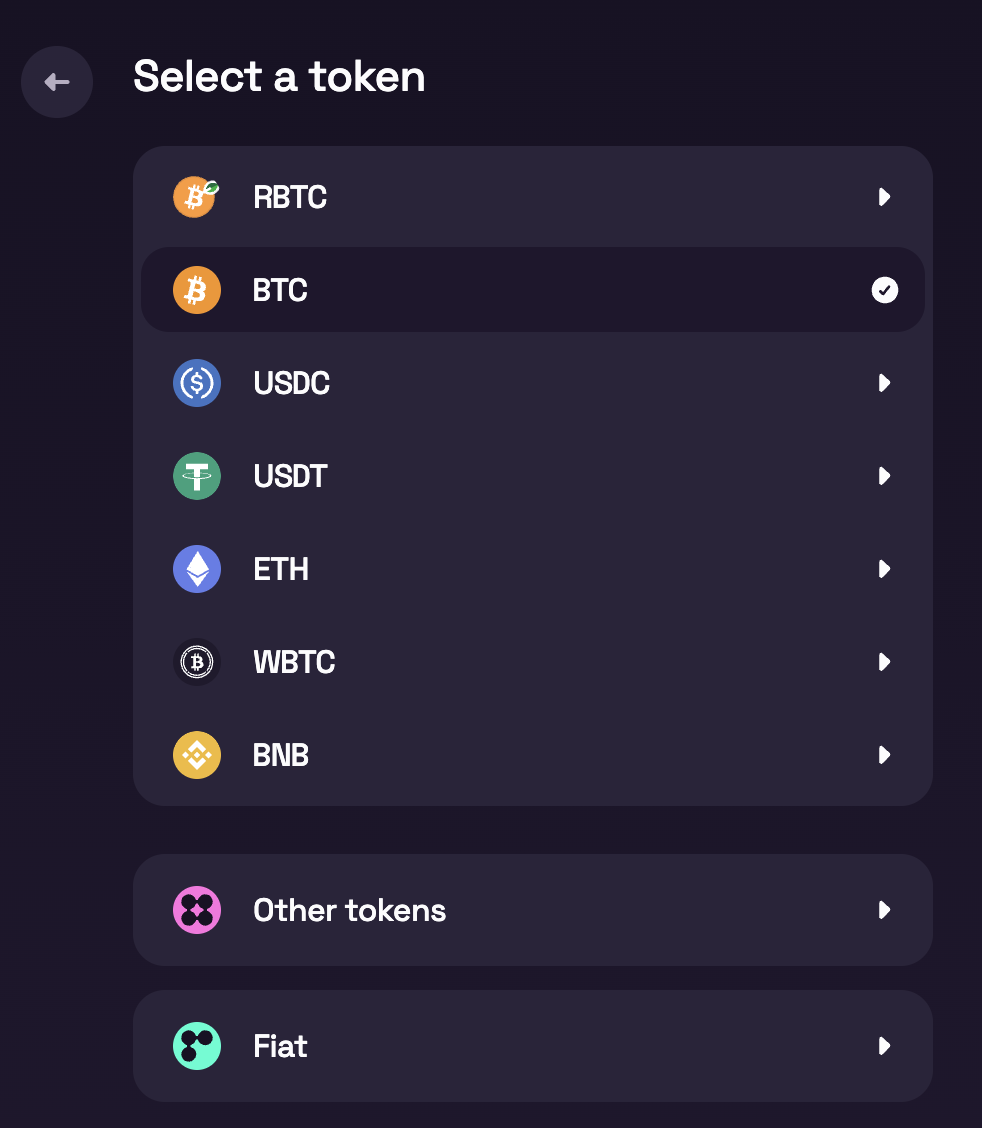
- Enter the amount
- Type the amount you want to bridge.
- If no providers appear, your amount may be below the minimum, confirm Minimum Transaction Amounts and adjust.
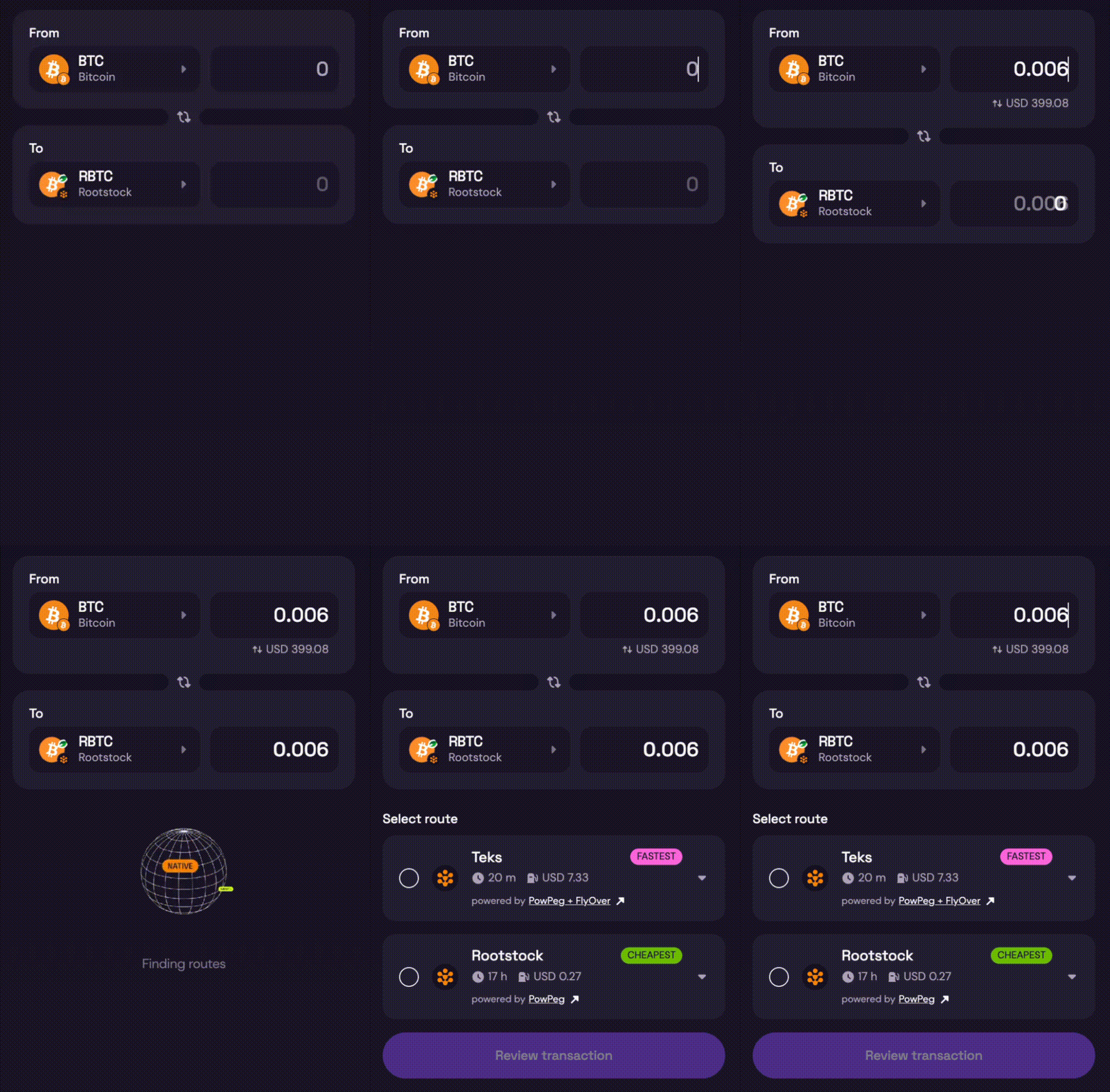
- Choose a provider
- The bridge lists all available providers for your pair and amount.
- Compare rates, fees, and conditions.
- Select a provider, then click Review transaction.
- Review provider details and add destination address
- Review fees, minimums, and estimated time for the selected provider.
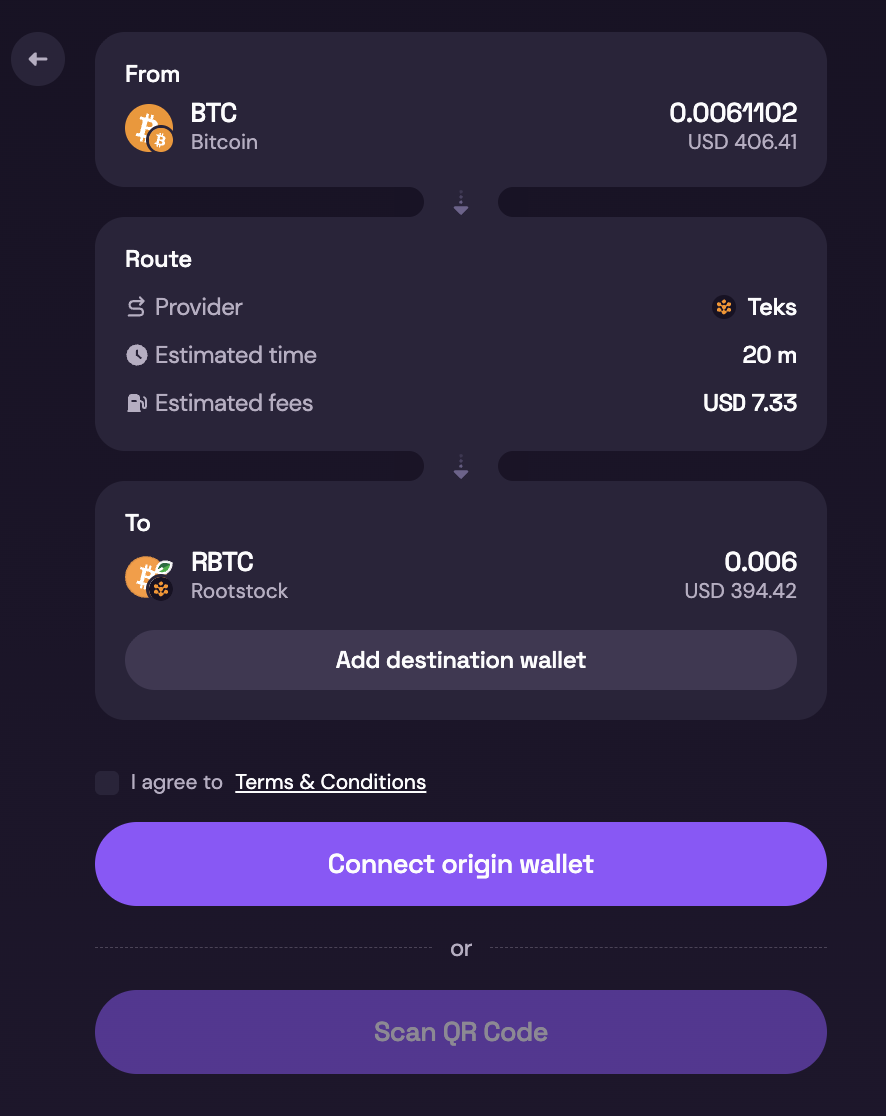
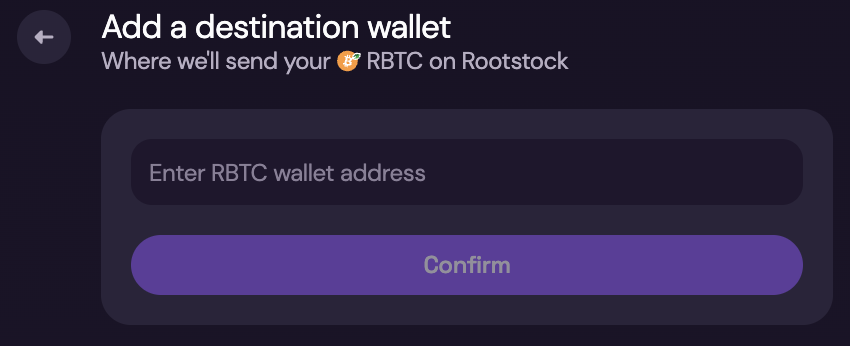
- Click Add Destination Wallet and paste the destination address where you want to receive funds.
- Confirm the destination chain matches the address type.
- Complete the transaction After selecting a provider and accepting terms, finish in one of two ways:
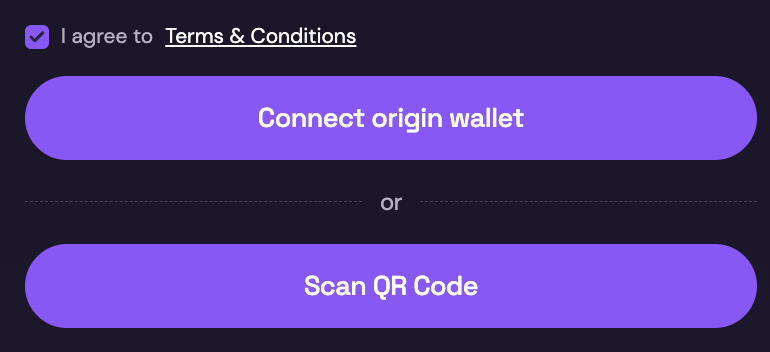
- With a wallet: Connect a compatible wallet (for example MetaMask for Rootstock) and authorize the transaction.
- Without a wallet: Complete with QR code and follow provider instructions.
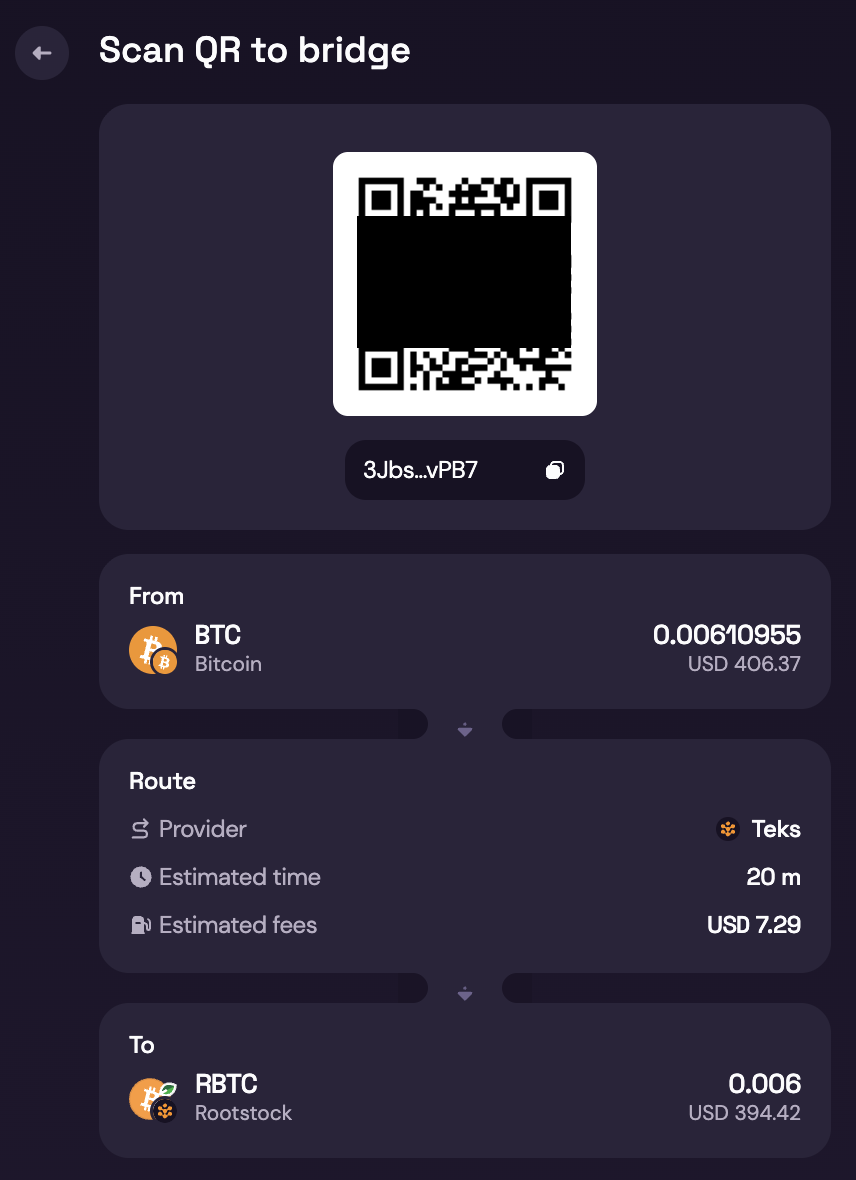
- Review and confirm
- Check fees, destination address, and final received amount.
- Wait for confirmations. See Expected Time & Confirmations.
- Track progress in the bridge UI.
- Done
- You should receive the asset on the destination network.
- Keep the transaction hash until funds arrive.
Warning: Important Visual Warnings (UI Callouts)
⚠️ Do NOT send BTC from an exchange
⚠️ Only use wallets you control
⚠️ Always verify the destination address
⚠️ Bitcoin transactions are irreversible
If the transaction looks stuck
First wait for the estimated confirmation window. Then:
- Open the source-chain explorer with your transaction hash.
- Re-open Atlas and check provider status.
- Contact support with transaction hash, provider name, and time submitted.
Status Indicators Users Will See
- 🟡 Waiting for network confirmations
- 🟡 Processing bridge transaction
- 🟢 Completed successfully
- 🔴 Action required / error